Your storage, one drag away.

Drop a file on the menu bar, then paste the link. Orveila uploads straight to your own S3-compatible bucket.

  • No account, ever
  • Any S3-compatible storage
  • Post-quantum encryption
  • macOS 26 or later
A working demo of Orveila in the menu bar. Press the file, or drag it to the menu bar, to watch an upload. Nothing leaves this page.

Working demo. Nothing is uploaded.

Drag it to the menu bar.

Speed
–
Time left
–
On your clipboard
Nothing yet
my-storage
0%
Link copied my-storage

Today

  • sunrise-over-dunes.png 4.2 MB · 9:41
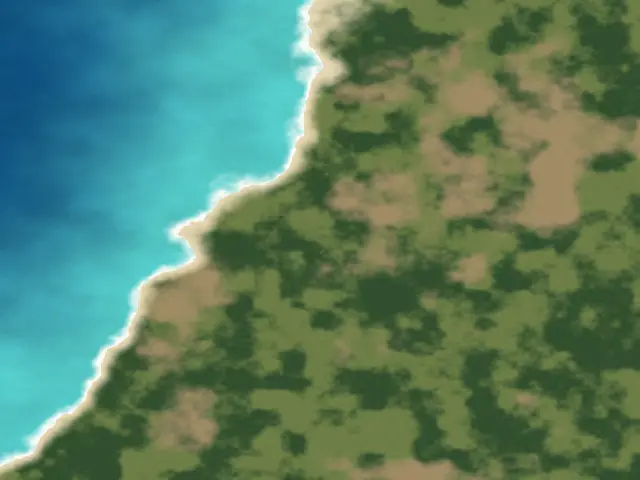
  • coast-aerial.png 6.8 MB · 9:12
  • PDF contract-signed.pdf 412 KB · 8:30

Yesterday

  • fog-in-the-valley.png 5.1 MB · 19:20
  • MOV brand-film-master.mov 1.2 GB · 18:05
  • dusk-study.png 3.1 MB · 16:48

This Month

  • ZIP november-backup.zip 840 MB · Nov 2
  • TXT field-notes.txt 18 KB · Nov 1
8 files · 2.1 GB

Your provider stores it. Only you can read it.

Turn on encryption for a bucket and everything is sealed on your Mac before it leaves. Your provider keeps the data and can’t make sense of it.

my-storageReal output of the name cipher

  • PDF contract-signed.pdf 412 KB
  • PNG passport-scan.png 2.4 MB
  • XLSX payroll-q4.xlsx 88 KB
  • TXT board-notes.txt 31 KB
  • MOV launch-film-master.mov 1.2 GB
  1. 01 · Contents

    Sealed before it leaves.

    Every file is encrypted on your Mac with AES-256-GCM, in 1 MiB chunks that can’t be altered, swapped or cut short without the file refusing to open.

  2. 02 · Names

    Names are sealed too.

    contract-signed.pdf reaches your provider as a string of noise, and you still see the real name in Orveila. Your provider can tell only how large a file is and when it arrived.

  3. 03 · Post-quantum

    Two locks on every file key.

    Each file has its own key, wrapped in AES-256-GCM and again with X-Wing, which pairs ML-KEM-768 with X25519. A future attack on either one leaves your files safe.

  4. 04 · Keys

    The key stays with you.

    It is generated on your Mac and kept in your Keychain. You save a recovery key once. Without it nobody can open these files, including you.

A file manager in the menu bar.

Orveila is where you open your bucket, not only where you upload to it.

  • Every file, one click away.

    Recent files by date or folders as you arranged them, in a list or as thumbnails. Search finds the rest.

  • It moves like Finder.

    Arrow keys walk the list, Space opens Quick Look, Return renames, and ⌘Z takes back a move or a delete.

  • Drag in. Drag out.

    Drop files or whole folders on the window or the menu bar icon. Drag a file onto a folder to move it, or out to Finder to download it.

  • It finishes what it starts.

    Uploads, downloads and moves carry on after a lost connection or a restart, from where they stopped.

  • Links that expire.

    Every link is signed and opens from a private bucket. Choose an hour, a day or seven days.

  • As many buckets as you have.

    Keep work and personal storage side by side, on different providers, and switch from the title of the window.

The details, taken care of.

Four fields and you’re connected

An address, a bucket name and two keys. Orveila speaks standard S3 and asks for nothing else, so it works with the provider you already pay for.

Address
https://abc.r2.cloudflarestorage.com
Bucket Name
my-storage
Access Key ID
7c1f09e2b4d8
Secret Access Key
••••••••••••

Kept in your Keychain.

A QR code for any link

Send a file to a phone in the room, without a chat app in between.

A speed limit

Keeps large uploads from filling your connection.

25 MB/s

10 GB in about 7 minutes

Works from the keyboard

Click the list and try it. Delete something, then take it back.

  • Move
  • Quick Look
  • Rename
  • Delete
  • Undo
  • sunrise-over-dunes.png 4.2 MB · 9:41
  • coast-aerial.png 6.8 MB · 9:12
  • PDF contract-signed.pdf 412 KB · 8:30
  • fog-in-the-valley.png 5.1 MB · 19:20
  • MOV brand-film-master.mov 1.2 GB · 18:05

Quit halfway. It carries on.

Every transfer is written down as it runs, so a dropped connection or a restart costs you only the part that was in flight.

launch-film-final.mov 100%

Done. The link is on your clipboard.

  1. 34%Wi-Fi drops
  2. 61%Mac restarts
  3. 100%Link copied

Photos without the map

Location and camera details are removed from a copy. Your original stays untouched.

  • Location48.2082° N, 16.3738° E
  • Cameraf/1.8 · 1/250 s · ISO 80
  • Picture4032 × 3024

Start an upload from anywhere

The window is one way in. These are the others.

Finder
Upload with Orveila, from the Services menu.
A watched folder
New files in it upload on their own.
Global shortcuts
Send the clipboard or your latest screenshot.
Apple Shortcuts
Upload files, the clipboard or a screenshot from any automation.
orveila:// links
For Raycast, scripts and other launchers.
The menu bar icon
Drop anything on it. It fills as the upload runs.

Your storage. Your keys.

Orveila has no accounts and no server of its own. The app talks only to the address you gave it, and your access keys stay in the macOS Keychain. There is nothing of yours for us to lose.

Common questions.

Do I need an account?

No. Orveila has no accounts and no server of its own. You bring a bucket from any S3-compatible provider and the app connects to it directly.

Where do my files go?

From your Mac straight to the storage address you entered, and nowhere else. The app makes no other network requests, so there is nothing in between that could see or keep a copy.

Which storage services does it work with?

Anything that speaks the S3 API: Cloudflare R2, Amazon S3, Backblaze B2, Wasabi, MinIO and others. It needs an address, a bucket name and two keys. A region is optional.

Where are my keys kept?

In the macOS Keychain, on your Mac. Access keys and encryption keys never leave it.

What happens if I lose my recovery key?

The Mac you set it up on still holds the key in its Keychain, and Settings can copy it again. If that Mac is gone too, nobody can open your encrypted files, including you.

Can I send an encrypted file to someone with a link?

Not yet. Encrypted files open only in Orveila, so a link would hand over unreadable data. Files you upload without encryption get a signed link that expires after an hour, a day or seven days, your choice.

Which Macs does it run on?

Any Mac with macOS 26 or later.

Your storage, in the menu bar.

No account needed · macOS 26 or later